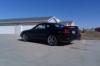
How do you use photoshop to achieve this?
-
-
-
-
Jim, if you want to remove imperfections from say a car or a model, give it a matte like finish, you can mess with hue/saturation, brightness/contrast, and levels. I cant tell you exactly how much, thats gotta be up to you and the picture.
I would play around with brightness/contrast first, then levels, and finally hue/saturation if need be.
T ! N for that picture if you want the wheels to look like they are turning, select around the tire/wheels and go to blur and radial blur.
-
AntiBling wrote:
T ! N for that picture if you want the wheels to look like they are turning, select around the tire/wheels and go to blur and radial blur.Yeh, I tried doing that, but I got tired, because it was like 2 in the morning..
-
Anyone know how to make it look like you can see the engine with the hood shut, or seeing through parts, examples such as superstreet shoots, and this http://www.honda-tech.com/zerothread?id=1398104 its like the fourth one down
I like my women like I like my cars, shaved!

www.flickr.com/photos/inspired_images/ -
powder wrote:
Anyone know how to make it look like you can see the engine with the hood shut, or seeing through parts, examples such as superstreet shoots, and this http://www.honda-tech.com/zerothread?id=1398104 its like the fourth one downThat could probably be achieved if you had the camera on a stationary point and took 1 pic with the hood open and 1 with it closed, then just put the closed on top and erase part of it and blend it so the engine bay shot shows through.
-
Jim wrote:
Nah its hard to explain, like in magzines and photos on the internet of models, they make thier skin look like it almost glows and its really smooth etc...I dont' knwo do you know what I mean?
Pretty sure I know what you are saying...I think that you are talking about airbrushing. And I am certain that there was some sort of that going on in that picture you posted. BTW...very cool photo, where did you find that Jim?
-
if no one answered your question then i will
its a simple adjustment of contrast/brightness with a blurred, or motion blurred background
so use the pen tool to select the car then adjust the brightness/ and or contrast of the car then hit reverse selection and just do a simple motion blurr or normal blurr on the background.....
simple
Originally Posted by 00vtec View Post
I take cash or check. True honda owners can hear it in anything no matter what the mods."Imo kick yo ass so hard that candy comes out"
hung like a butterfly but stings like a bee....

-





Hello! It looks like you're interested in this conversation, but you don't have an account yet.
Getting fed up of having to scroll through the same posts each visit? When you register for an account, you'll always come back to exactly where you were before, and choose to be notified of new replies (either via email, or push notification). You'll also be able to save bookmarks and upvote posts to show your appreciation to other community members.
With your input, this post could be even better 💗
Register Login